

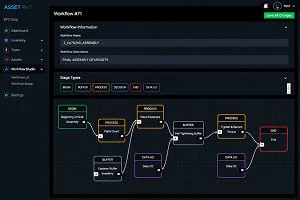
Design
Your Process
Plan your workflows based on your experience and know-how, then refine them using real operational data and business rules.
Workflow Studio
Workflow Studio is the physical process planning and real-time execution layer of the ASSET-Rx platform. Design location-driven workflows on 2D and 3D maps of your actual facilities. Watch them execute in real time. Improve them every shift.
The Problem
Most operations teams manage physical workflows with a combination of paper routings, verbal handoffs, clipboard checks, and floor walks. The result is a process that exists in people's heads rather than in a system that can be measured, optimized, and scaled. Workflow Studio changes that by connecting the physical layout of your operation to a live, configurable workflow engine backed by real-time location data.
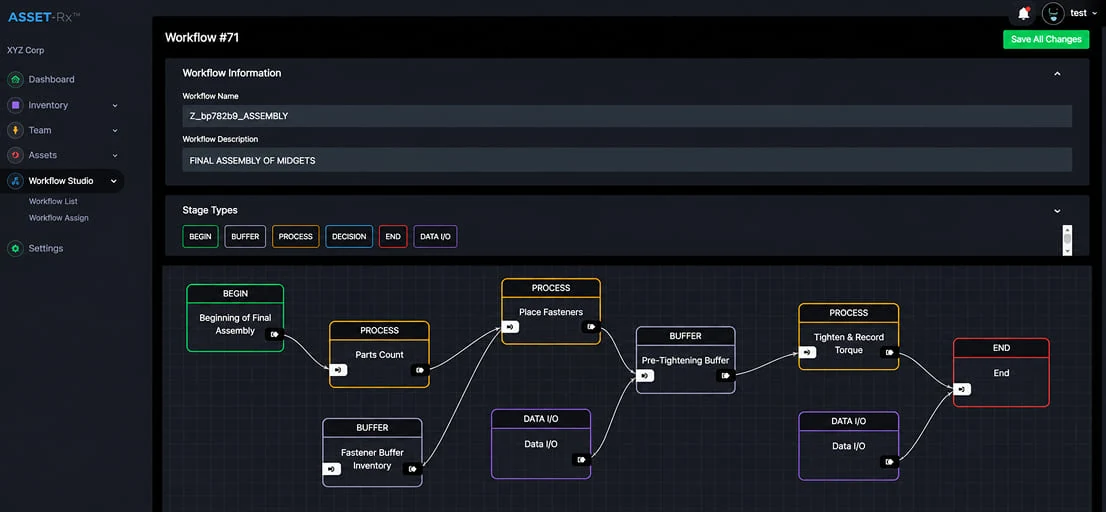
Plan your workflows based on your experience and know-how, then refine them using real operational data and business rules.
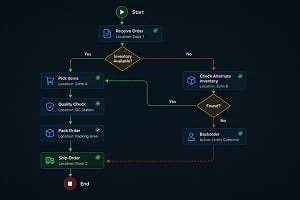
Cover exceptions to a first degree, evaluate what-if scenarios, and validate workflow behavior before deployment.
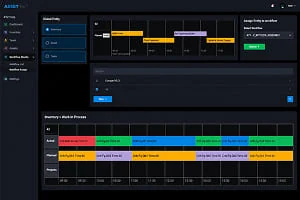
Compare real world outcomes with your original plans, identify process gaps, and run continuous optimization cycles for every workflow.
How It Works
Open Workflow Studio and build your operation graphically on a map of your facility. Drag and drop checkpoints onto the floor plan or 3D model. Define the sequence of operations, assign responsibilities to roles, set expected material flow paths, and configure the triggers and rules that govern each step.
Every step can carry configurable instructions specific to the industry, the process, and the role performing the work. An operator sees the instructions relevant to their task. A supervisor sees the status of all tasks in their zone. A manager sees the status of all zones across all sites.
ASSET-Rx real-time location data overlays on your workflow plan. Material physically reaching a checkpoint advances the workflow. Workers do not click buttons to confirm progress. The system sees them arrive. Deviations from the planned flow surface immediately on the supervisor dashboard giving full operational visibility without floor walks.
Every workflow execution generates a deviation report comparing planned versus actual at every step. That data feeds the next planning cycle. Over time your workflows get tighter, your operations get more efficient, and the visibility of both becomes sharper. Workflow Studio converts operational experience into continuous, measurable improvement.
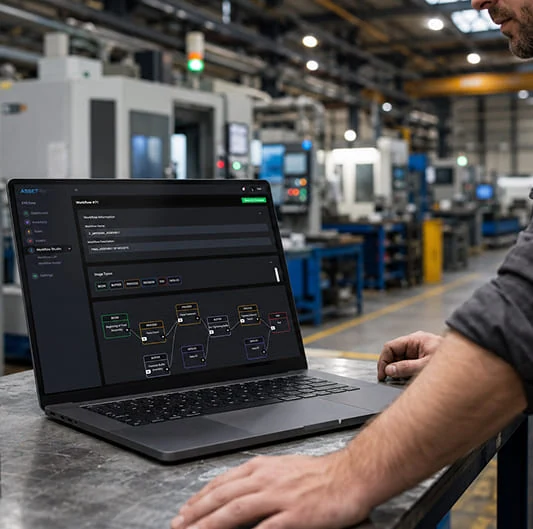
Design physical workflows graphically on a map of your facility. Place checkpoints, assign sequences, and define material routing without writing any code.
Set location-based triggers, time thresholds, and approval gates. When material reaches a checkpoint or fails to arrive on time, the right person is notified automatically.
Workflow progress is confirmed by real-time location data rather than manual button clicks. Material physically at the checkpoint advances the workflow. No trust issues. No data gaps.
Overlay live location and workflow status on 2D floor plans or 3D facility models. Every supervisor and manager sees the same operational picture from any device, anywhere.
Each workflow step delivers the right instructions to the right role: operator, technician, supervisor, quality inspector. Configurable per industry, per process, and per site.
Every workflow execution generates a deviation report. Compare planned versus actual at every step. Turn location data into process improvement shift by shift and site by site.
Define checkpoints, zones, and operational sequences that match your physical environment exactly. The system adapts to your operation rather than forcing your operation to adapt to the system.
Track whether material has passed through every location it was supposed to pass through. RTLS visibility of the full material journey from receiving through delivery, with a complete audit trail.
Industries
Workflow Studio is configurable for any industry where physical operations need to be planned, tracked, and improved. The same platform serves manufacturing, construction, oil and gas, rail, ports, and logistics.
Map your production line as a workflow. Track WIP through each stage using RTLS. Identify which stations are causing cycle time delays. Deliver work instructions to operators at each step. Measure OEE by zone and by shift with location data rather than manual observation.
Plan material delivery, installation sequences, and inspection checkpoints before the shift starts. Track whether materials have reached the zones they were supposed to reach. Give the site supervisor real-time visibility of progress against the daily plan without leaving the site office.
Define maintenance workflows for rail cars, track sections, or rolling stock. Track technician presence at each inspection point. Log compliance automatically as the maintenance team moves through the asset. Generate a verifiable record of every step completed and every checkpoint visited.
Map container handling sequences, customs inspection flows, and storage allocation workflows on a live terminal map. Track whether containers and vehicles have passed through every required checkpoint. Identify congestion and bottlenecks in real time using RTLS visibility.
Plan and track crew movements across well sites, pipeline sections, and processing facilities. Define safety checkpoints and exclusion zones within the same workflow environment. Monitor compliance with permit-to-work requirements using location-confirmed attendance at each zone.
Define pick paths, receiving workflows, and put-away sequences as configurable workflows on your warehouse map. Track whether product has moved through every step of your quality or compliance process. Replace manual scan points with RTLS-confirmed location checkpoints.
Workflow Studio is running in production environments today. We will show you a working demonstration on a real facility map with live location data, not a slide deck.
GET IN TOUCH
One of our experts will be communicating with you shortly. We are committed to understanding your application and providing support, tailored to your specific requirements.