

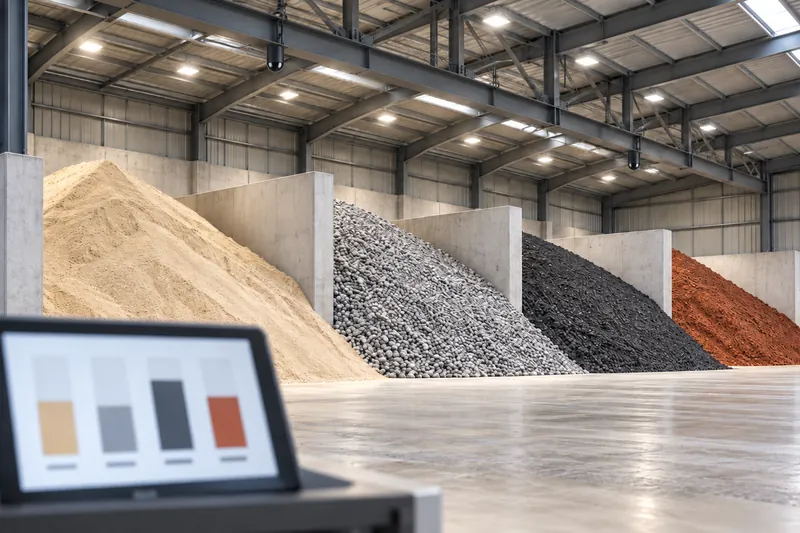
Mixed materials under one roof
A total for the building tells you nothing about which material is running low. Purchasing and production need the number per material.
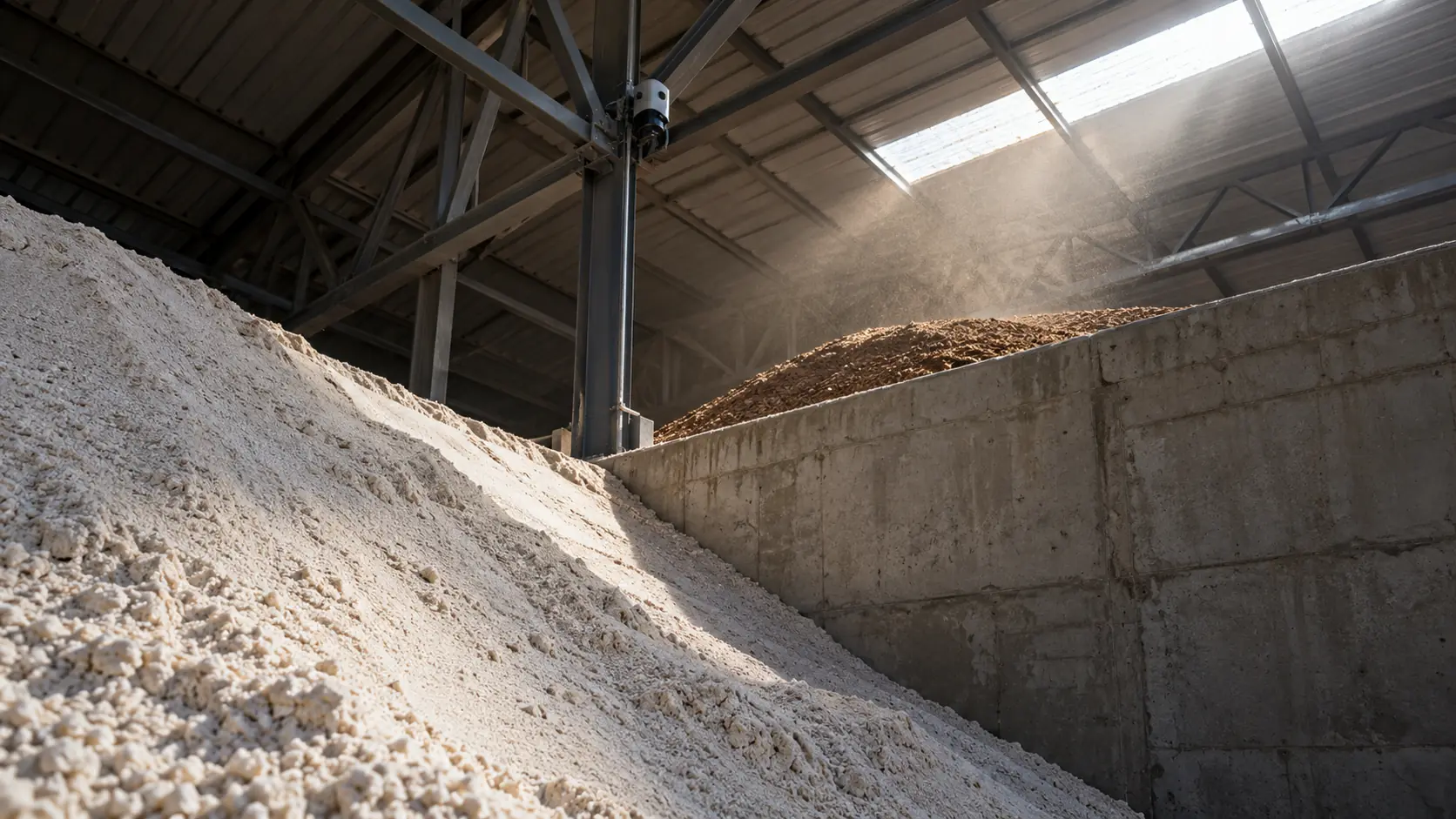
You can’t manage what you can’t measure
One building, many materials, every zone measured.
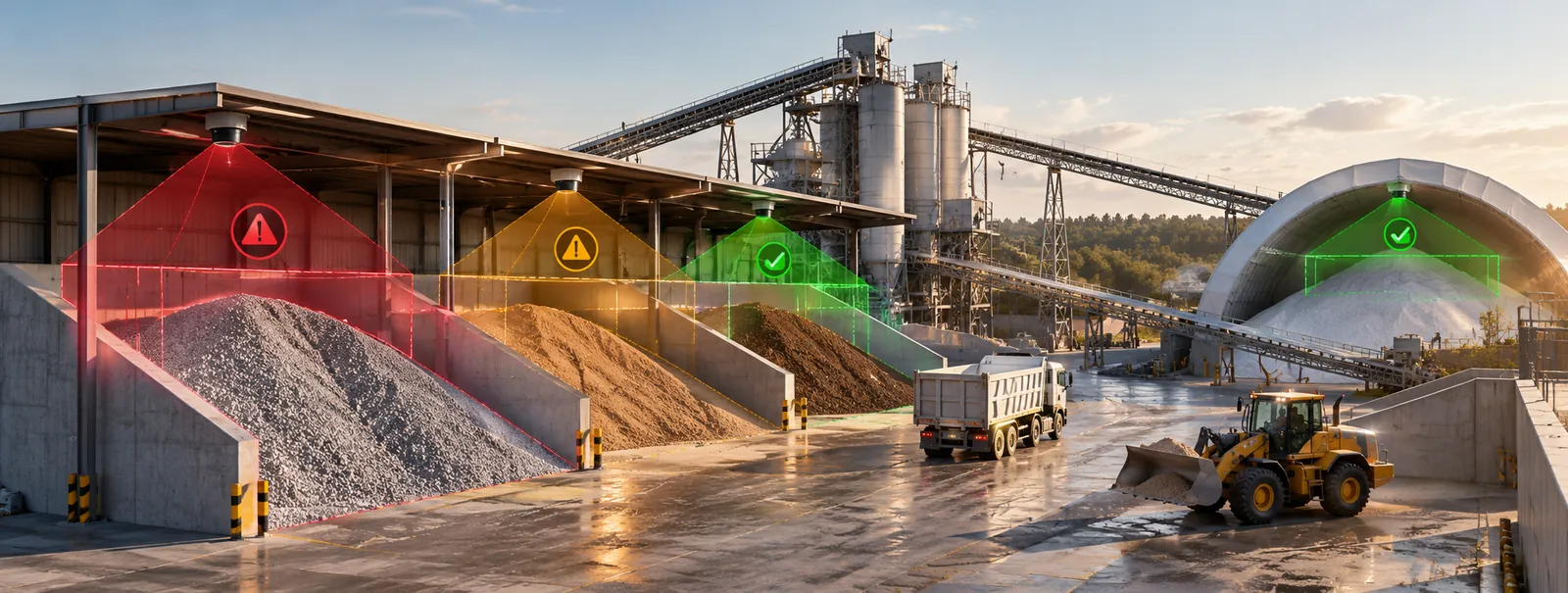
CRATUS measures bulk material volume and weight in warehouses and multi-bay storage buildings zone by zone. Fixed LiDAR sensors cover each bay, an edge computer splits the building into the zones you define, and the dashboard reports volume and weight for every zone and every material separately.
The challenge
Multi-bay buildings hold different materials, grades or customers side by side. A single number for the building hides what you need to know.
A total for the building tells you nothing about which material is running low. Purchasing and production need the number per material.
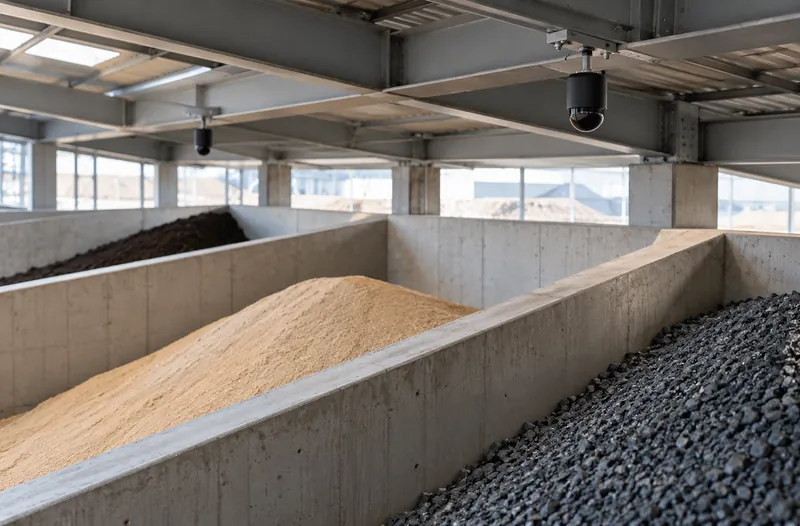
Bays are separated by walls, and piles spill over them or sit against them. Measuring a bay needs coverage of its own walls and corners.
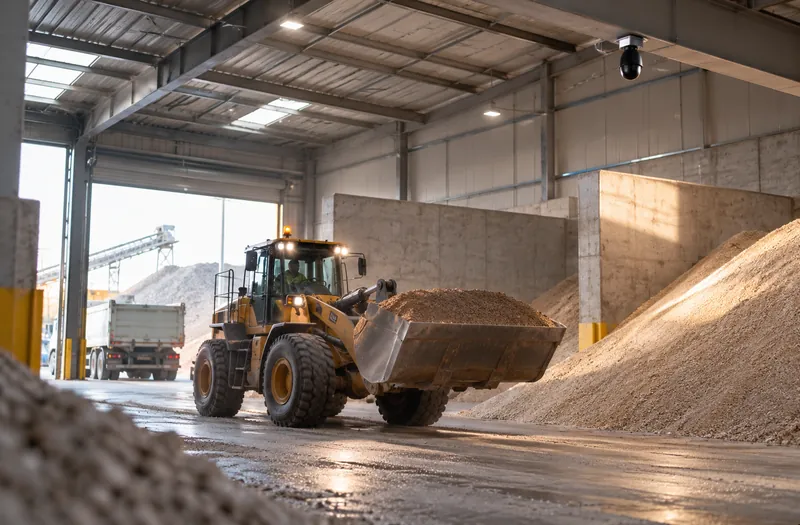
Loaders, trucks and people move through the building all day. A measurement taken at the wrong moment includes a loader bucket as material.
CRATUS measures zone by zone, so every bay, material and customer allocation has its own number.
See the approachHow zones work
Sensors measure one continuous surface across the building. Zones divide it into the areas you report on.
Our approach
In a warehouse the unit of measurement is the zone: sensors measure one continuous surface across the building, and the zones you define turn it into a number per bay and per material.
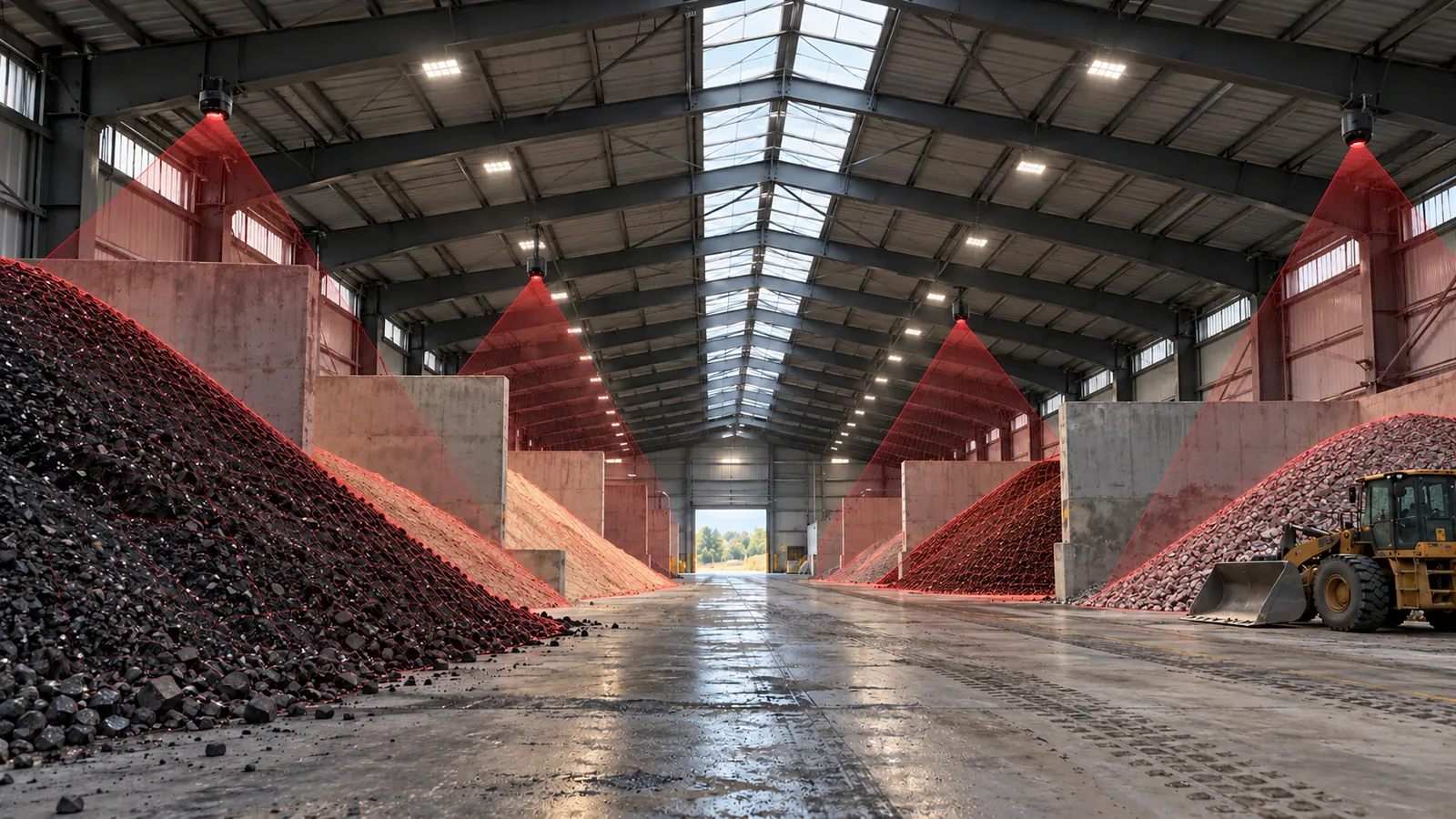
LiDAR sensing
Fixed LiDAR sensors cover each bay with their own laser light, so walls, corners and the back of deep bays are measured whatever the lighting. Sensor types and positions are chosen per bay; the zones are drawn in software on top of the measured surface.
Edge computing
One edge computer merges the sensors in the building into one surface and splits it into the zones you define. It computes volume for every zone, so only results, not raw video, leave the building, over Ethernet, Wi-Fi or cellular.
Software & dashboards
Volume and weight for every zone and every material on one dashboard, rolled up into building and site totals, with several buildings on the same dashboard and reports and exports for the systems you already run.
AI
AI separates loaders, trucks and people from the material surface, so a busy bay does not count a loader bucket as material, and flags changes that do not match the plan.
What we deliver
Zones follow your layout, not the sensor layout.
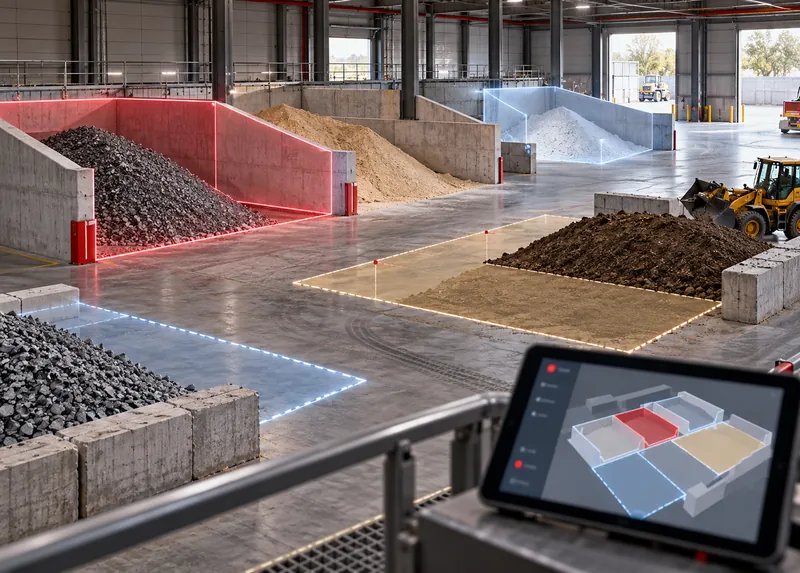
Physical bays, sections of an open floor, or virtual zones for a customer or grade. Zones can be changed as the layout changes.
Software
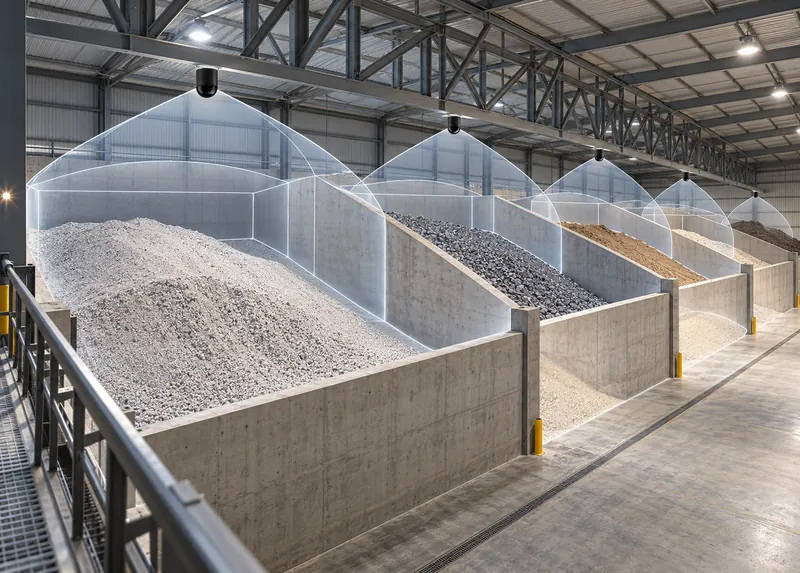
Sensor positions chosen per bay, so walls, corners and the back of deep bays are covered.
Sensing
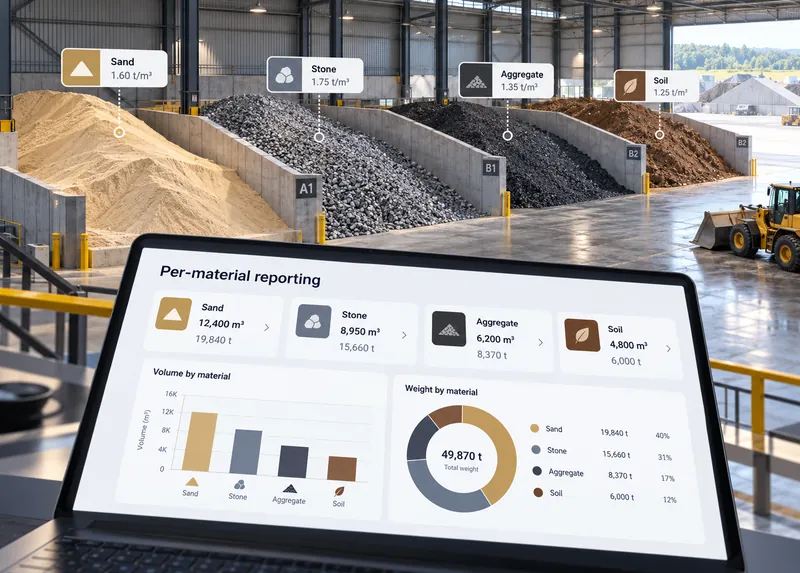
Each zone tagged with its material and bulk density, so volume and weight roll up by material across the building.
Software
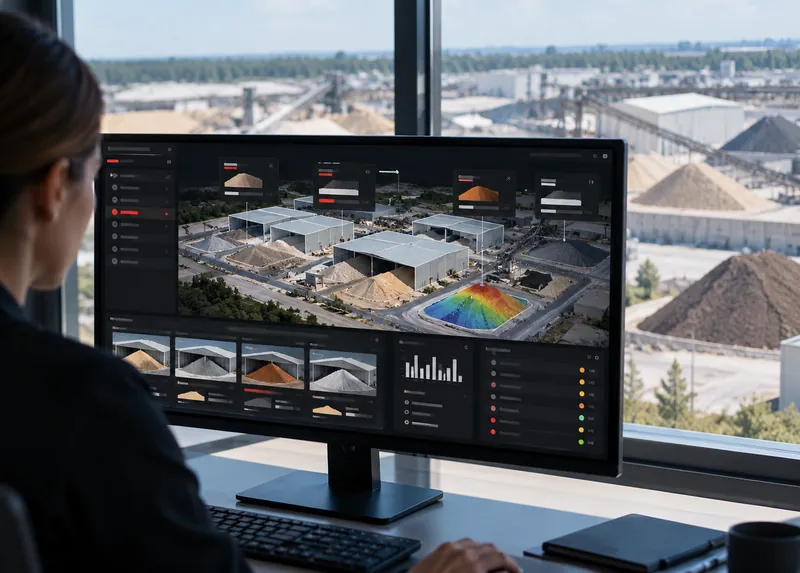
All zones combined into building and site totals, with multiple buildings on one dashboard.
Edge · Software
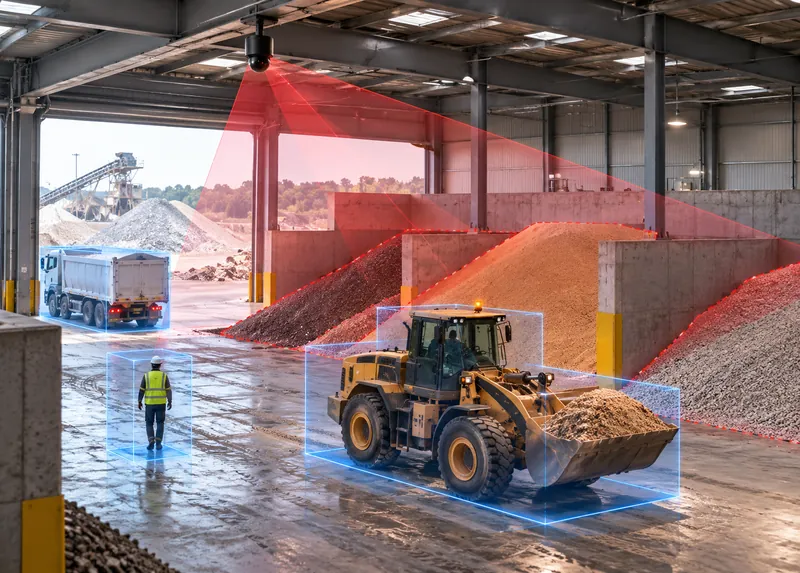
Loaders, trucks and people separated from the material surface so busy bays still report clean numbers.
AI
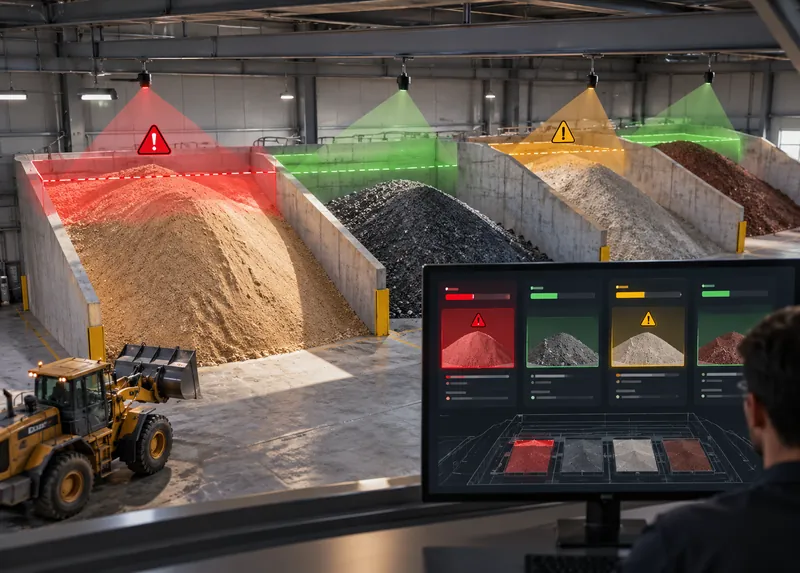
Low or high thresholds set per zone and material.
Software
The CRATUS VMS system
Sensor types and positions are chosen per bay; the zones are defined in software on top of them.
Overall surface coverage
Covers a large share of a bay from one mounting point, so a bay between push walls is measured as one surface.
Targeted, longer reach
Added where a bay’s walls, corners or deep back need a closer look, so the whole bay is covered.
ASSET-Rx EDGE middleware
Runs at the building, merges the sensors into one surface and divides it into your zones, so only per-zone results leave the building.
Cloud or local
Volume and weight per zone and per material, with building and site totals. Choose a cloud subscription or a local license per unit, per site or company-wide.
For trusses, walls and ceilings
Holds each sensor at the angle chosen in the coverage model on the truss, wall or ceiling of the building.
For extremely dusty sites
For dusty warehouses with compressed air on site: keeps the sensor window clear between scheduled cleanings.
One system
CRATUS designs the coverage, supplies the sensors and edge computer, runs the software and supports the system after commissioning. One point of contact from site survey to the daily inventory number. Browse the VMS systems for bulk solids.
All CRATUS productsThese details let CRATUS build a coverage model for your structure.
How we work
Every building is different, so we start with a coverage model of your layout and materials. Sensor types, counts and positions are set per bay before anything ships, and zones are drawn on top of them.
The bays and open areas of the building, the materials in each, how they are filled and reclaimed, plus power, connectivity and dust conditions.
CRATUS models the building and its materials to choose sensor types, counts and positions per bay before anything ships.
Brackets, power and network, with instructions and remote support for your contractor or ours.
Reference scans, zone set-up and bulk density per material, checked against a known quantity where one is available.
Dashboard, reports and alerts per zone, a lens-care schedule and engineering support for the life of the system.
Standards & practices
Warehouses for bulk materials often involve combustible dust, and the rules depend on the site. Area classification comes first; the installation is planned around it.
Area classification and compliance decisions rest with the site owner and the authority having jurisdiction. CRATUS plans the installation around these requirements and documents it to support your review; we don’t self-certify.
It means volume and weight are reported for each area of the building separately. A zone can be a physical bay between push walls, part of an open floor, or a virtual area assigned to a material, grade or customer.
Yes. Zones are defined in software on top of the measured surface, so they can be redrawn when bays are repurposed or the layout changes, without moving sensors.
Not always. The sensor count depends on bay size, wall height, roof height and how high the material is stacked. The coverage model for your building sets the count before anything ships.
The system separates vehicles and people from the material surface, and measurements can be scheduled around shifts. Results reflect material, not equipment.
Yes. Each zone carries its own material and bulk density, so volume and weight are reported per material even when bays sit next to each other.
It is measured where it lies. Zone boundaries define which zone the spilled material counts toward, and the change is visible in the history.
120 VAC near the edge computer, 12 VDC for the sensors and a network connection. Where 12 VDC, an enclosure or internet access are not available, CRATUS can supply the power supply, enclosure and a cellular modem.
A scheduled cleaning of the sensor window is standard on dusty sites, and AI filtering keeps airborne dust and moving equipment out of the measurement. Where dust is extreme and compressed air is available, an air purge collar keeps the window clear between cleanings.
Yes, with the right planning. Area classification comes first; the installation is then planned around it, including where equipment is placed and when it is energized. CRATUS documents the installation for the site owner and the authority having jurisdiction.
A layout of the building with its bays, the material in each, and how they are filled and reclaimed. CRATUS builds a coverage model and replies with a proposal that shows the sensor layout and expected performance, followed by a quote with options.
On the dashboard, in the cloud or locally. Choose a cloud dashboard subscription, a local dashboard license per unit, a site license for several units or a company license; several buildings can sit on one dashboard.
Yes. Warehouse teams, integrators and IT can work with CRATUS directly; CRATUS provides installation instructions, network requirements and remote support during commissioning.
Talk to a CRATUS engineer
Send us the building size, bay layout and what is stored where. A CRATUS engineer will reply with a zone plan and a coverage approach.
Keep exploring
Illustrations are not to scale. Specifications subject to change without notice.
GET IN TOUCH
One of our experts will be communicating with you shortly. We are committed to understanding your application and providing support, tailored to your specific requirements.